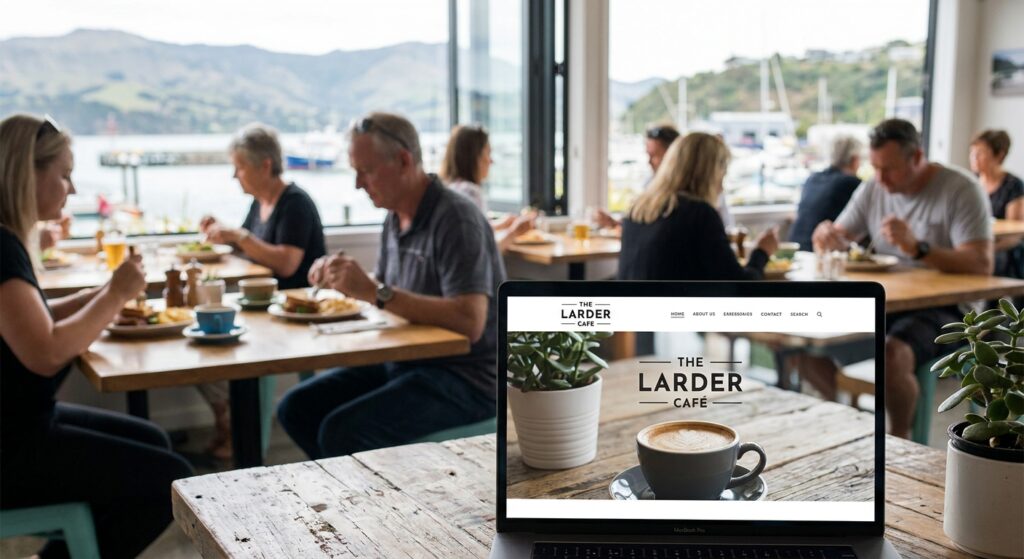
A restaurant or café website should help someone answer a few practical questions: what can I eat, when are you open, where are you, and how do I book or order? The design needs to fit the venue, but those details must remain easy to find and keep current.
This guide is written by No Brainer Creative, an Auckland web design and digital agency. It is a practical brief for NZ hospitality businesses comparing a new website, a redesign or improvements to an existing site. Judge the proposed work and support process rather than assuming that one type of provider or platform is always best.
Choose the customer journeys that matter to your venue
A neighbourhood café, a dine-in restaurant and a takeaway kitchen do not need identical websites. Decide which actions the business actually supports: reading a menu, finding the entrance, phoning, requesting a group booking, reserving a table, ordering pickup or arranging delivery.
Make the labels accurate. A booking request is different from a confirmed reservation. An enquiry form is different from a completed food order. If another provider handles the action, explain the transition and make sure the link reaches the correct venue and service.
Start the brief with the three most important customer tasks. Then identify what the team needs to do behind the scenes, including changing a price, marking a service unavailable or spotting an enquiry that has not reached the right person.
Keep the menu readable and maintainable
Show the relevant menu sections, item descriptions and current prices in a format that works on a phone. A downloadable PDF can be useful alongside a readable page, especially for a printed or function menu. Check the actual experience rather than assuming that a PDF or any particular platform is automatically unusable.
Identify who approves food descriptions and any dietary information before publication. Give customers a clear way to ask the venue about their requirements. Do not invent ingredient, allergen or availability claims while preparing website copy.
Agree where the source menu is maintained and which other versions need updating. The website, a printed menu, a booking provider and Google may show different information if no one owns the process. A beautiful new page still needs a practical way to replace an old price or remove an unavailable item.
Give hours, location and contact details clear ownership
State the operating information the venue has confirmed. Dining hours, kitchen hours, pickup availability and delivery windows may differ. Explain those distinctions where they affect a customer’s decision, and check public-holiday or special-event hours with the owner rather than copying the normal week.
Use the actual address and a useful map route. Where relevant, describe an entrance, parking or access information the business can verify. A customer should not have to search through an Instagram feed to find the phone number or work out which location a booking button refers to.
For businesses with several venues, make each location’s menu, contact details and booking route clear. A shared brand does not mean every location has the same opening times or ordering provider.
Scope bookings and ordering around real operations
Begin with the system the business uses and the service it can fulfil. Ask the website provider to show the proposed journey, including what happens when a time is unavailable, a booking needs review or ordering is closed. Decide who manages each system and who receives an exception.
Compare a simple link with an embedded tool before adding complexity. Check the phone view, keyboard operation, loading behaviour and the return route to the website. Identify third-party fees, software subscriptions, payment arrangements and ongoing support separately from the website build.
Do not promise instant acceptance because a form displays a success message. Agree a controlled test with the venue and provider, including confirmation at the receiving end. Where payment is involved, use an approved test process rather than creating an unexpected live transaction.
| Customer task | What to verify | Who needs to confirm it |
|---|---|---|
| Read the menu | Sections, prices and descriptions are readable and approved on phone | The person responsible for the venue’s current menu |
| Plan a visit | Correct location, useful directions and the relevant service hours | The venue manager or owner |
| Reserve a table | Correct venue, availability and request-versus-confirmation wording | The booking-system owner and receiving team |
| Order pickup or delivery | Correct destination, operating window and fulfilment information | The ordering provider and venue team |
| Ask about a function | Required details, recipient and a reliable follow-up process | The staff member handling group enquiries |
| Change information | Staff can update content and identify every place affected | The person who maintains the website after launch |
This table is a planning checklist. It does not establish that a particular integration, venue or transaction has already been tested.
Connect the website with Google Business Profile carefully
Check the public website, menu and action links in the venue’s actual profile. Google’s menu editor guidance explains the options for menu items and a menu URL. Review copied or suggested information against the approved menu and check what has actually appeared publicly after a change.
Google’s local business links guidance distinguishes menu, reservation and ordering destinations. Choose the relevant action and verify the destination on a phone. A saved URL is not proof that the public button reaches the correct venue.
Google also describes online ordering options and providers. Availability and presentation can vary by country, region and provider. Inspect the current options for the business rather than promising that every NZ venue can use the same button or integration.
Keep profile information aligned with the website, including verified contact details and special hours. Our local SEO guide explains how profile accuracy, useful website content and separate Maps/organic measurement fit together.
Use food and venue imagery honestly
Choose approved images that represent the venue, its food and the experience customers can expect. Check the phone crop and whether important information remains available as readable text. If a picture illustrates a concept rather than a current item or fit-out, label it appropriately.
Menu design, website imagery and in-store posters should use consistent, approved information. The Tiffin Box project shows examples of identity, website layouts, meal visuals and poster design. Treat portfolio material as evidence of the work shown; it is not a promise of orders or revenue for another venue.
If menu, poster or campaign artwork is part of the brief, identify the formats and production responsibilities. No Brainer’s graphic design service can be scoped alongside the website work.
Compare providers using a demonstration and a clear scope
A freelancer, agency or in-house team may be suitable when the skills, availability and agreed work fit the business. Ask who will design, build, write, connect the systems and support the site. Do not assume that a larger team guarantees better support or that an independent provider will be unavailable.
Ask for a demonstration of changing a menu price, replacing a photo, updating hours and checking an enquiry. Identify the editing access, documentation and maintenance included. If the current platform can do the job with sensible improvements, a migration may not be necessary.
For a rebuild, preserve useful menu and location URLs where possible and plan relevant redirects for changed pages. List the booking and ordering links that must continue working. Agree the actual schedule around content, approvals, integrations and launch checks instead of relying on a generic turnaround claim.
Measure the actions the business can confirm
Record the starting website and search information before changing it. Separate menu views, phone-link clicks, booking-page visits and submitted enquiries from confirmed reservations or completed orders. Provider dashboards may use different definitions; agree what each number represents before treating it as revenue.
Review whether enquiries are relevant and whether the team can fulfil and follow them up. A search position, a lab performance score or a new design does not establish that more customers have visited the venue. Keep the evidence and reporting tied to the business’s actual goals.
A useful brief for a restaurant website discussion
- Which venue or locations does the website represent?
- What are the priority customer tasks?
- Who supplies and approves menus, prices, imagery and operating hours?
- Which booking, ordering and payment providers are already used?
- Which existing URLs, content and integrations must be preserved?
- Who receives enquiries and manages service exceptions?
- Who will make routine updates, and what support is required?
- What budget, dependencies, test process and launch date should shape the proposal?
Our website brief template includes a blank outline to copy and a fillable PDF. Add the venue-specific answers above before discussing scope.
No Brainer’s Auckland website design service covers build planning, responsive layouts and handover. Talk to our team with the current menu and customer journeys you want to improve.
Prefer to explain your venue’s website needs by phone? Call No Brainer on 022 125 2166.
Questions café and restaurant owners ask
Does a restaurant need online ordering on its own website?
It depends on the service, fulfilment process and systems used. A clear, correct link to an existing provider may be enough. Compare the customer journey and ongoing costs before adding a new integration.
Should the menu be a web page or a PDF?
Choose a format customers can read and the team can maintain. A readable page and an optional download can work together. Check the actual phone experience and update process.
How long does a restaurant website take to build?
The schedule depends on approved content, design, integrations and the agreed checks. Ask for a plan with responsibilities and approval points rather than an unsupported universal deadline.
Can a website redesign guarantee more bookings?
No. Demand, the offer, availability, visibility and follow-up all matter. Verify the booking journey and compare evidence over time without presenting the launch itself as proof of growth.