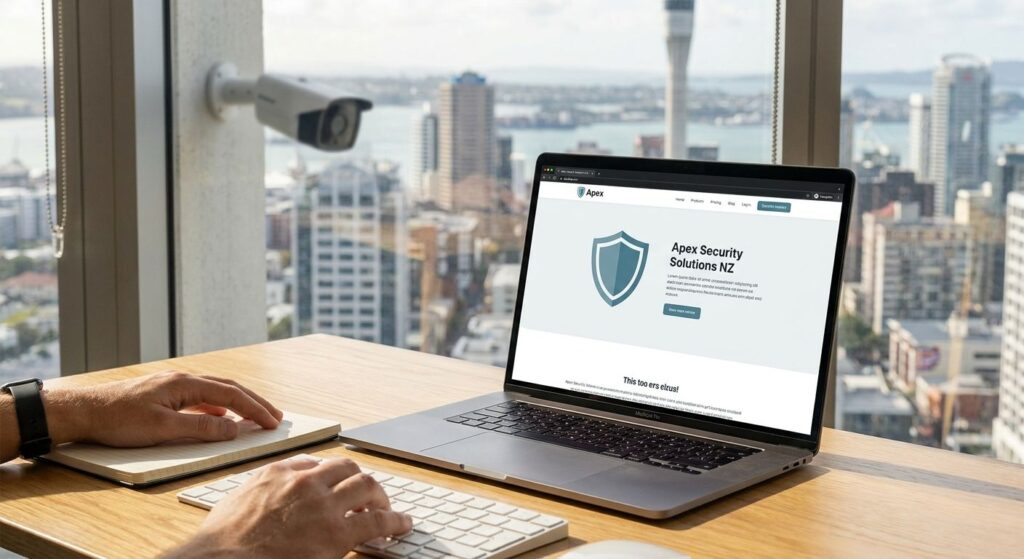
Web design for a security company in NZ starts with accurate service information and clear contact routes. Someone comparing CCTV installation quotes has a different task from an existing customer seeking monitoring support or a business planning event security.
This agency-authored guide helps scope the website and its handover. It does not promise more calls, Google positions, response times or compliance, and it is not a licence assessment of any security business.
Separate the services and customer routes
List only what the business actually provides, such as installation, monitoring, patrols, guarding or product sales. For each service, identify the audience, coverage, qualification process and next step. Explain what is included rather than relying on a broad phrase such as “complete security solutions”.
- New work: a quote or consultation route with realistic follow-up expectations.
- Existing customers: a clearly labelled support route where available.
- Monitoring or callouts: the verified operational contact and its limits, if offered.
- Products: a purchase, installation or compatibility-enquiry route that reflects the actual offer.
Do not send every request to the same unmonitored sales inbox and describe it as an urgent response service. A website form submission is not confirmation that a team has accepted or dispatched a job.
Use verifiable business and licence information
Publish the correct business identity, contact details and approved service descriptions. Ask the business to confirm relevant credentials and the wording used. Client logos, testimonials and project photographs should be genuine and used with permission; they do not replace a check of the current service scope.
The Ministry of Justice’s private security public-register guidance explains how to check licence or certificate details, including work classes and expiry information. Check the correct entity and current record before publishing a claim. The business should resolve questions about its authorisation with the appropriate authority; a website designer should not guess.
Publish realistic contact hours and coverage
Distinguish office or sales hours from any monitored or after-hours service. A monitoring operation does not establish that every department answers around the clock. Agree who approves claims such as “24/7”, “same-day” or a fixed response time, and document any coverage or service limits before putting them on the site.
Describe the areas genuinely served and explain relevant differences between services. A single accurate coverage section may be enough. Create additional pages only when they provide useful distinct information, not merely to repeat a suburb name. A page structure cannot guarantee a particular Google position.
Scope an initial enquiry carefully
Choose the information needed to route a first conversation: for example, the service sought, general area and preferred contact method. There is no universal three-field form that converts best for every security company. Use clear labels, explain required fields and make errors understandable.
An ordinary public sales form should not invite alarm codes, passwords, detailed entry instructions or confidential footage. Establish a suitable separate process with the business for information needed later. Agree who receives enquiries, how they are stored, and what acknowledgement is appropriate. A privacy-policy link and HTTPS alone do not prove that the complete handling process is secure.
Plan the pages around the real business model
Use distinct service pages when the content and customer decision are meaningfully different. A CCTV-installation brief may need property-type and assessment information; guarding enquiries may need dates and service scope. Product sales may have their own catalogue and purchase requirements. Choose the structure after reviewing these tasks rather than rejecting or buying a template based on its label.
Make phone and enquiry routes readable on mobile and review them with representative content. Measure the relevant pages and external handoffs rather than treating a single speed threshold as evidence that calls will increase. Use project imagery that the business is authorised to publish without revealing confidential client arrangements.
Verify the launch and ongoing ownership
- Content approval: the business checks identity, services, credentials, operating hours and coverage.
- Route checks: verify that each phone, sales and support link reaches the intended destination without placing unapproved calls or sending customer messages.
- Controlled testing: agree any form or notification test, its recipient and its exclusion from genuine lead reporting before submission.
- Handover: name the owners of updates, enquiries, external systems, maintenance and any response commitments.
Record what was tested and any access limitation. Plugin updates or a maintenance subscription do not by themselves prove that every future notification will arrive. Review meaningful failures and changes rather than repeatedly submitting test enquiries without a reason.
No Brainer is based in Auckland. Our web design service can be scoped around the security business’s actual service and enquiry workflows. Bring the approved service list, existing systems and operational contacts when discussing the brief.
Security website questions
What should a security-company website explain first?
State the services actually offered, the areas covered and the correct way to contact the business. Separate new sales enquiries from existing-customer support, monitoring or callout routes where those services exist.
Should we advertise 24/7 or same-day response?
Only publish availability or response commitments that the business has verified and can support. State any applicable limits clearly, and distinguish a monitored service from a sales inbox or ordinary website form.
How can visitors check licence details?
The Ministry of Justice provides a public-register route for checking private security licence or certificate information. Ensure published details match the correct business or person and relevant current scope; do not invent credentials or imply that a website designer has certified them.
Does the enquiry form need exactly three fields?
No. Collect what is needed to route the initial enquiry and explain what happens next. Do not ask for alarm codes, passwords or detailed access instructions in an ordinary public sales form.
Do we need separate service and suburb pages?
Create distinct pages when they answer different customer needs and have useful, accurate information. Explain genuine service coverage without duplicating the same page for every suburb or promising rankings.
Can the business sell security products as well as services?
The website should reflect the actual business model. Product sales, installation quotes, monitoring and support may need different routes, terms and responsibilities; a retail layout is not automatically unsuitable.
What should be verified before launch?
Check the published services, credentials, hours and contact routes with the business. Review phone and form behaviour, notifications, acknowledgement wording, mobile usability and maintenance responsibilities. Record any external system that was not tested.
Related planning guides
- Prepare a website brief
- Website care and maintenance scope
- Local SEO and Google Business Profile planning
- Choose an SEO agency using evidence
Discuss your security-company website brief with No Brainer. Initial design enquiries do not need confidential access or system credentials.