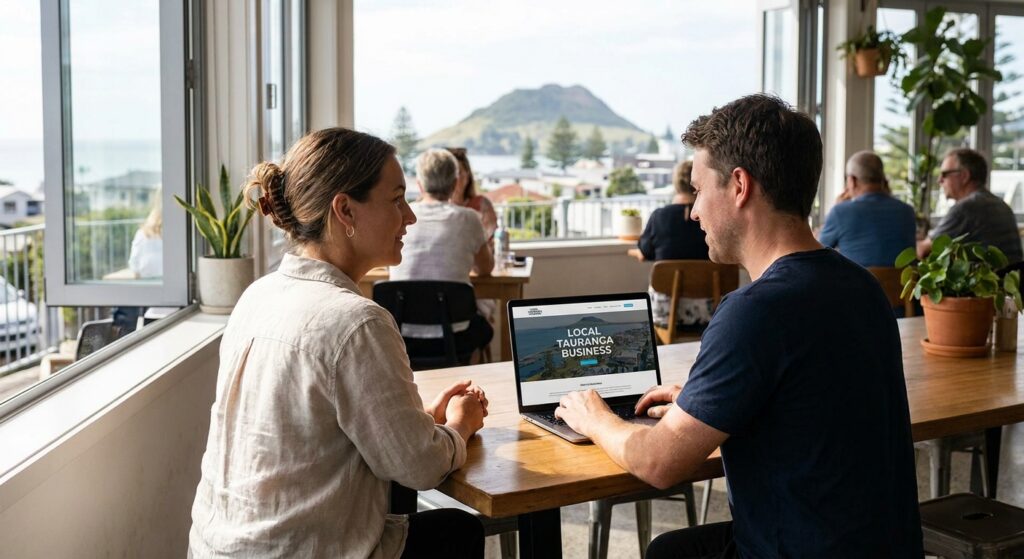
A small-business website should help a visitor complete the task that matters: understand a service, find current information, request a quote or use the appropriate booking route. This guide turns those tasks into a practical review for a Tauranga business without assuming that one layout, platform or speed target works for everyone.
No Brainer Creative wrote this guide and is based in Auckland. We work with NZ businesses; this article does not claim a Tauranga office, a local market survey or measured results for unnamed Tauranga clients. For proposal costs, account control and ongoing responsibilities, use the separate Tauranga website proposal guide.
Write down the task before choosing a layout
Pick the service or product you want the page to explain. Identify what a visitor needs to know before contacting you and what happens immediately after the action. Use the offer, capacity, hours and areas the business genuinely supports.
Keep the first review specific. For example: can someone understand the service and request a quote; find a current menu and opening information; or understand an activity and ask about availability? These are planning examples, not claims that one design increases sales.
The NZ small-business website guide can help organise the wider brief. Start with useful existing pages rather than adding repeated suburb pages solely to insert location keywords.
Prepare the information needed for each task
Services and quote requests
Explain the work the business accepts, where it operates and any information needed for a first discussion. Use approved examples or photographs with an accurate description of the work. Keep the initial enquiry proportionate and assign the person who will respond. Do not publish a 24-hour promise unless the business can actually support it.
Menus, hours and visiting information
Make the current menu or relevant service information readable on a phone. Identify the owner who updates prices, hours or availability. Give accurate location and contact information and decide whether a directions link, map or other visitor guidance is useful. Neither an embedded map nor a PDF menu automatically establishes good or poor performance.
Activities and bookings
Explain what is offered, where it takes place and the actual next step. Distinguish an availability enquiry from a confirmed booking. Decide who maintains the activity information and what happens when a date, capacity or arrangement changes. The tourism website planning guide covers related scope questions.
Professional-services contact
Use clear service descriptions, approved team information and the contact route the firm can manage. Decide which information belongs in an initial enquiry and which belongs in a later approved process. The need for a calendar or other integration depends on that process, not on a broad industry stereotype.
Use a customer-task review record
For each task, keep a short record with the following fields. Leave an outcome unverified until the relevant check is complete.
- Task: what the visitor is trying to do.
- Starting page: the actual URL and the information needed there.
- Expected next step: call, request, confirmation or another clearly defined state.
- Business owner: who maintains the information and handles the enquiry.
- Evidence: what was checked, on which device and date, and what remains unknown.
- Next action: the specific issue to repair or the information still needed.
Use the same record on a phone and desktop. Check readable copy, keyboard navigation, links, form instructions and error handling. A route should lead to the intended destination; a visible form alone does not establish that a message was delivered.
Test responsibly and keep claims separate
A live enquiry, notification, purchase or booking test needs separate authorisation and a clear internal-test reference. Check the actual destination and receipt when those are in scope. Avoid placing surprise calls or creating customer-facing appointments merely to demonstrate activity.
Performance reports can help diagnose an actual problem. Google’s page experience guidance explains that good Core Web Vitals do not guarantee top rankings. There is no universal two- or three-second promise here, and a lab score is not evidence of enquiries or bookings.
Choose a repair or rebuild from the findings
If the current platform supports the required tasks, a targeted content, navigation or configuration repair may be enough. If a move is justified, inventory useful pages and customer routes, then plan redirects, content and the dependencies that need checking. The website migration guide provides questions for that separate scope.
Agree the pages, functions, content responsibilities, testing and handover before work begins. Separate ongoing hosting, platform, maintenance and support responsibilities where they apply. The No Brainer web design service is Auckland-based; discuss the working arrangement and any in-person requirements for a Tauranga project rather than assuming local presence.
Discuss the customer tasks your site needs to support
Bring the current website, the visitor journey and the evidence of what is getting stuck.
Website task-review questions
What is this guide for?
It helps a Tauranga small business define and review the customer tasks its website needs to support. It is written by Auckland-based No Brainer Creative and does not rank local providers or claim a Tauranga office.
Does every business need the same website layout?
No. A quote request, menu lookup, activity enquiry and professional-services contact can require different information and next steps. Start with what the business actually offers and what the team can handle.
Is an embedded map essential?
Not automatically. Visitors need accurate location or service-area information and a usable way to plan the next step. Decide whether an address, directions link, map or other information suits the actual business; an embed alone is not proof of search visibility or foot traffic.
Should a visitor request a booking or confirm one?
Describe the real process. A request that needs staff approval should be labelled as a request. A confirmed appointment depends on the actual availability and connected system; a visible button is not proof that a booking was created.
Do all pages need to load in under three seconds?
There is no universal elapsed-load threshold in this guide that guarantees rankings or enquiries. Diagnose actual page performance and usability with appropriate tools, and keep lab results separate from customer outcomes.
Does a template mean we need a rebuild?
No. Assess the current content, navigation, editing and customer routes before choosing targeted repairs or a rebuild. A platform name alone does not establish that the website is unsuitable.
Can our team update menus, hours and service details?
Agree which changes staff will make and verify the actual editing and approval process at handover. Record who maintains information and how support works; do not assume every project includes ongoing changes.
How should we report whether the website helps?
Separate visits and phone-link clicks from completed calls, enquiries, suitable enquiries and bookings that can be verified. Exclude internal tests and duplicates, identify unknown sources and report the next improvement alongside the limitations.